User programs cannot access hardware directly, they must ask the OS(more specifically kernel) to do it for them. This request is called a System Call. System Calls provide a controlled interface for user programs to access privileged system resources like hardware.
What Are System Calls?
A system call is a controlled entry point (API) into the kernel that allows user-space programs to request services that require higher (kernel) privileges.
Why System Calls Exist
- Security: Prevent direct hardware access and privileged instructions by untrusted user-space code.
- Stability: The kernel mediates all sensitive operations, preventing faulty or malicious programs from crashing the entire system.
- Abstraction: Hide hardware and low-level implementation details behind simple, consistent interfaces (e.g., read()).
- Resource Management: Coordinate and control access to shared system resources (CPU, memory, files, devices) among different applications.
Function Call vs System Call
// Regular function call (stays in user space)
int add(int a, int b) {
    return a + b;  // No privilege change needed
}

// Library call that triggers a system call internally
int fd = open("file.txt", O_RDONLY);  // glibc(c library) wrapper → SYSCALL → kernel sys_openat()
CPU Registers and System Calls
Registers are tiny, ultra-fast memory slots built directly into the processor chip. The CPU can only operate on data that lives in these registers before any instruction runs, the data must be loaded into them.
When making a system call, three registers do most of the work:
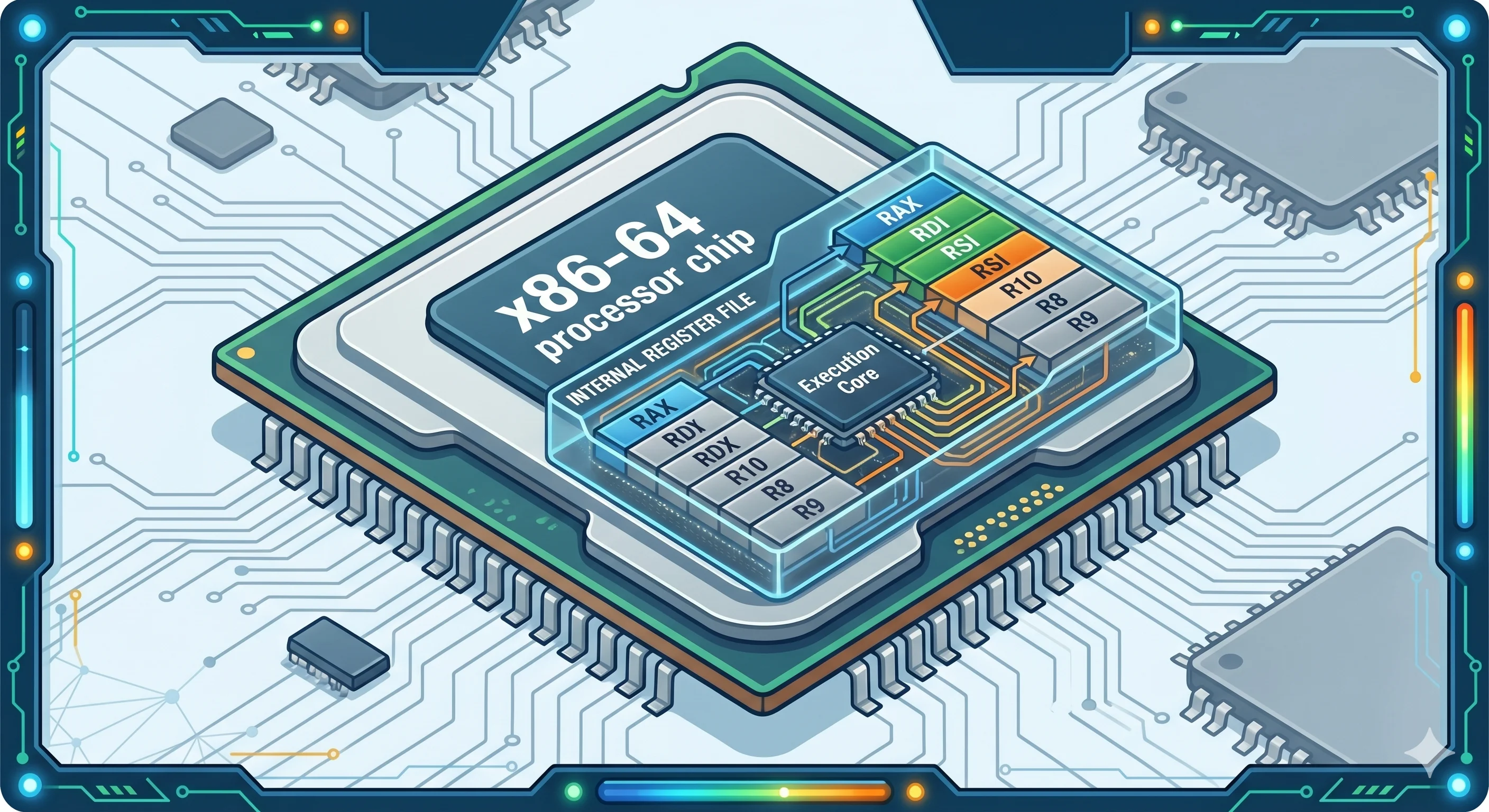
x86-64 CPU’s internal register file where RAX holds the syscall number, RDI/RSI carry the arguments, all feeding directly into the execution core.
| Register | Role(Stores) | Example |
|---|---|---|
RAX | Syscall number tells the kernel what to do | 1 = write, 2 = open, 3 = close |
RDI | First argument primary input to the syscall | File path pointer, or file descriptor |
RSI | Second argument secondary input | Flags like O_RDONLY, or buffer pointer |
For example, when your code calls open("file.txt", O_RDONLY) a glibc library call and it internally do some setup for trigger a system call.
- It writes
2(the syscall number foropen) intoRAX. - It writes a pointer to the string
"file.txt"intoRDI. - It writes the value of
O_RDONLYintoRSI. - It executes the
SYSCALLinstruction ,this pauses user-space execution and transfers control to the kernel.
The kernel reads RAX, sees 2, and knows immediately to run the open logic. It then reads the arguments from RDI and RSI to find out which file to open and how.
System Call Flow for open()
| Layer | Component | Action |
|---|---|---|
| User | Program | Calls open("file.txt") |
| User | Libc Wrapper | Puts syscall ID in RAX, args in RDI/RSI. Runs SYSCALL. |
| CPU | Hardware | Switches Ring 3 → Ring 0. Jumps to kernel entry. |
| Kernel | Entry Stub | Saves CPU state to Kernel Stack. |
| Kernel | Dispatcher | Calls sys_call_table[RAX]. |
| Kernel | VFS/FS | Checks permissions, allocates struct file, assigns FD 3. |
| Kernel | Exit Stub | Restores CPU state. Puts 3 in RAX. Runs SYSRET. |
| User | Libc Wrapper | Reads RAX. Returns 3 to program. |
How printf("Hello World\n"); Works in C?
To execute this program and write to the monitor, we need to access hardware. This requires high kernel privilege, so the user program cannot access the monitor directly.
printf()is a Library Call (part of the C Standard Library, glibc). It is a wrapper around the actual system call.write()is the System Call (on Linux/Unix). It is what actually talks to the kernel and the device driver.
Phase 1: Library Formatting & Buffering (User Space)
When you call printf("Hello World\n"), the first thing that happens is NOT a system call. Instead, glibc’s printf() runs entirely in user space:
- Library Buffering:
printf()formats the string and typically stores it in a buffer in user-space memory. - Buffering Strategy: stdout (standard output) is usually line-buffered. This means:
- The
\n(newline) character triggers the buffer to flush. - Without
\n, your output might not appear immediately—it waits until the buffer fills or the program exits.
- The
- The System Call: When the buffer flushes,
printf()internally callswrite(STDOUT_FILENO, buffer, bytes), which triggers the system call.
Example:
printf("Hello");        // Stays in buffer, nothing appears yet
printf("World\n");      // Newline flushes buffer → write() syscall → output appears
// vs
printf("Hello World");  // No newline, might not appear until program ends or buffer fills
fflush(stdout);         // Manual flush → write() syscall → output appears
Why doesn’t printf() just call the kernel directly?”
Performance (Buffering): System calls are expensive switching from User Mode to Kernel Mode cause significant overhead. If you printed 1,000 characters one by one using write(), you would trigger 1,000 system calls (extremely slow).
Instead, printf() buffers the output in User Space and batches all characters into a single write() call. This dramatically reduces the number of context switches and is orders of magnitude faster.
Example:
// Slow: 1,000 system calls
for (int i = 0; i < 1000; i++) {
    write(STDOUT_FILENO, "x", 1);  // Each call = kernel trap
}

// Fast: 1 system call (buffering)
printf("xxxxxxxxxx...");  // All batched into one write()
Phase 2: Argument Marshalling (glibc Wrapper)
Before entering the kernel, glibc wrapper prepares registers for write()
RAXregister: Set to the syscall number forwrite()(usually 1 on x86-64).RDIregister: Set to the file descriptor (fd = 1 for stdout).RSIregister: Set to the pointer to the buffer (address of the string data).RDXregister: Set to the number of bytes to write.
Once the registers are loaded, the wrapper executes the SYSCALL instruction, which invokes the system call by transitioning the CPU from user mode to kernel mode.
mov $1, %rax        ; write() syscall number
mov $1, %rdi        ; fd = STDOUT (file descriptor 1)
mov $buffer, %rsi   ; pointer to our buffer
mov $bytes, %rdx    ; number of bytes to write
syscall             ; Trigger the trap door!
Phase 4: The CPU Mode Switch
- Before
SYSCALL: CPU is in Ring 3 (User Mode), executing user code with limited privileges. - After
SYSCALL: CPU switches to Ring 0 (Kernel Mode), with full hardware access.
Phase 5: Kernel Entry & Dispatch
Now we’re inside the kernel. The entry stub:
- Saves Context: The kernel saves the CPU state (user’s RIP, RSP, flags, etc.) to the kernel stack in a structure called
pt_regs. - Switches Stacks: The CPU switches from the user stack (which could be malicious or too small) to a secure kernel stack.
- Reads the Syscall Number: The kernel checks the
RAXregister and finds the value1(thewritesyscall). - Dispatches: The kernel looks up
sys_call_table[1]and calls thesys_write()kernel function.
Phase 6: Kernel Service (The Actual Work)
Inside sys_write(), the kernel:
- Validates FD: Checks that fd=1 is valid and belongs to this process (it does—it’s stdout).
- Permission Check: Verifies the process can write to stdout (it can).
- Device Driver Communication: Calls the Terminal/TTY driver to output the text.
- Hardware Interaction: The driver communicates with the terminal device, which displays “Hello World” on the screen.
Phase 7: Return Preparation (Kernel)
The write() syscall returns successfully:
- The number of bytes written (e.g., 12 for “Hello World\n”) is placed in the
RAXregister. - The kernel checks for pending signals or scheduling events (housekeeping).
Phase 8: Context Restore & SYSRET
The kernel:
- Restores Registers: Pops the saved CPU state (user’s RIP, RSP, flags) off the kernel stack.
- Executes SYSRET: This instruction reverses the mode switch.
- Privilege drops: CPU switches from Ring 0 (Kernel) back to Ring 3 (User).
- PC Restoration: The instruction pointer is restored to the line immediately after the
SYSCALLin the user’s code.
Phase 9: Wrapper Returns (Back in User Space)
Back in glibc’s write() wrapper:
- The wrapper checks the value in
RAX. - If positive (e.g., 12): It returns
12toprintf(). - If negative (e.g., -5): It’s an error code. The wrapper converts it to a proper errno value and returns
-1.
Phase 10: printf() Completes
The printf() function returns to your code with the write completed. Your program continues normally:
printf("Hello World\n");  // <-- You are here (after all 10 phases!)
printf("Next line\n");    // <-- This line executes next
The Complete Flow
| Layer | Component | Action |
|---|---|---|
| User Space | Your Code | Calls printf("Hello World\n") |
| User Space | C Library (glibc) | 1. Formats the string 2. Stores in stdout buffer 3. Detects newline → Flushes buffer 4. Executes write() syscall |
| User Space | Libc Wrapper | Marshals arguments into registers (RAX = syscall #, RDI = fd, RSI = buffer, RDX = count)Executes SYSCALL instruction |
| CPU Boundary | Hardware Trap | Context Switch: CPU switches Ring 3 → Ring 0 Saves user context to kernel stack Jumps to kernel entry point |
| Kernel Space | System Call Handler | Looks up syscall ID from RAX in sys_call_tableCalls sys_write() |
| Kernel Space | VFS Layer | Validates file descriptor (fd = 1 for stdout) Checks permissions |
| Kernel Space | Device Driver | Communicates with Terminal/TTY driver Queues the output |
| Hardware | Terminal/GPU | Displays the text: “Hello World” |
| Kernel Space | Return Handler | Prepares return value in RAXRestores saved CPU context Executes SYSRET instruction |
| CPU Boundary | Privilege Restoration | Mode Switch Back: CPU switches Ring 0 → Ring 3 Sets RIP to resume user code |
| User Space | Libc Wrapper | Checks RAX for return value or errorReturns to printf() |
| User Space | Your Code | Execution resumes after printf() |
Categories of System Calls
1. Process Control
#include <unistd.h>
#include <sys/wait.h>
#include <stdlib.h>

// Process creation
pid_t fork(void);           // Create child process
int execve(const char *pathname, char *const argv[], char *const envp[]);
void exit(int status);      // Terminate process
pid_t wait(int *status);    // Wait for child process

// Example: Creating a child process
int main() {
    pid_t pid = fork();

    if (pid == 0) {
        // Child process
        execl("/bin/ls", "ls", "-l", NULL);
        perror("exec failed");
        exit(1);
    } else if (pid > 0) {
        // Parent process
        int status;
        wait(&status);
        printf("Child exited with status %d\\n", WEXITSTATUS(status));
    } else {
        perror("fork failed");
        return 1;
    }

    return 0;
}
Unix/Linux Process System Calls
In Unix/Linux, these specific process management calls are frequently used and optimized:
fork() — Create Child Process
Creates a new process by duplicating the current one. Both parent and child execute from the same point in code, but get different return values from fork().
- Optimization: Uses Copy-on-Write (COW). The parent and child share physical memory pages as “read-only.” A physical copy is created only when one of them tries to modify data. This makes fork() extremely fast.
- Return value: Returns 0 in child process, child’s PID in parent, and -1 on error
exec() — Replace Process Image
Replaces the current process image with a new program. The process image includes code, data, heap, and stack.
- Key behavior: Resets memory (stack/heap) but keeps the same PID (Process ID)
- Variants: execl(), execv(), execle(), execve() — differ in argument passing (list vs array, with/without environment)
- No return: If successful, exec() never returns. If it fails, it returns -1
// Common exec() variants
int execl(const char *path, const char *arg0, ..., NULL);
int execv(const char *path, char *const argv[]);
int execle(const char *path, const char *arg0, ..., NULL, char *const envp[]);
int execve(const char *path, char *const argv[], char *const envp[]);
int execlp(const char *file, const char *arg0, ..., NULL);  // Searches PATH
int execvp(const char *file, char *const argv[]);           // Searches PATH

// Example: exec with environment control
pid_t pid = fork();
if (pid == 0) {
    // Child process
    char *env[] = {"PATH=/bin:/usr/bin", "HOME=/root", NULL};
    execve("/bin/sh", (char*[]){"/bin/sh", "-c", "echo hello", NULL}, env);
    perror("execve");
    exit(1);
}
vfork() — Legacy Process Creation (Dangerous)
Old optimization where the child borrows the parent’s memory and thread of control. The parent is paused until the child calls exec() or exit().
- Status: Largely obsolete now due to COW making fork() fast
- Danger: Child modifications affect parent’s memory directly
- Use case: Some embedded systems still use it for the minimal overhead
// Dangerous: vfork() should generally be avoided
pid_t pid = vfork();
if (pid == 0) {
    // Child: sharing parent's memory
    _exit(0);  // Must exit, not return
} else if (pid > 0) {
    // Parent: blocked until child exits/execs
    wait(NULL);
}
clone() — Flexible Process Creation
The sophisticated Linux call behind threads (pthreads). It allows precise control over what resources are shared between parent and child.
- Flexibility: Fine-grained control over memory space (shared vs separate), file descriptors, signal handlers, and namespace isolation
- Threads: Creating a thread is essentially clone() with flags set to share the address space
- Complexity: More complex than fork(), but more powerful
#include <sched.h>

// clone() signature
int clone(int (*fn)(void *), void *child_stack, int flags, void *arg,
          pid_t *ptid, void *tls, pid_t *ctid);

// Clone flags examples
#define CLONE_VM        0x00000100  // Share memory space (thread-like)
#define CLONE_FS        0x00000200  // Share filesystem info
#define CLONE_FILES     0x00000400  // Share file descriptor table
#define CLONE_SIGHAND   0x00000800  // Share signal handlers

// Example: Creating a "lightweight process" with clone
int thread_function(void *arg) {
    printf("Running in cloned process\\n");
    return 0;
}

void create_clone_process() {
    // Allocate stack on heap for safety (child continues while parent runs)
    char *stack = malloc(8192);
    if (!stack) return;

    // clone() with shared memory (similar to thread)
    // Note: without CLONE_THREAD, wait() will work as expected
    int child_pid = clone(
        thread_function,                    // Function to run
        stack + 8192,                       // Stack pointer (grows downward)
        CLONE_VM | CLONE_FS | CLONE_FILES,  // Flags
        NULL                                // Argument
    );

    if (child_pid > 0) {
        printf("Created process/thread with PID: %d\n", child_pid);
        wait(NULL);
        free(stack);
    }
}

// Comparison: fork() vs clone()
// fork()  = clone(fn, stack, SIGCHLD, NULL);
// thread  = clone(fn, stack, CLONE_VM|CLONE_FS|CLONE_FILES|..., NULL);
2. File Operations
#include <fcntl.h>
#include <unistd.h>

// File I/O system calls
int open(const char *pathname, int flags, ... /* mode_t mode if O_CREAT */);
ssize_t read(int fd, void *buf, size_t count);
ssize_t write(int fd, const void *buf, size_t count);
off_t lseek(int fd, off_t offset, int whence);
int close(int fd);
int unlink(const char *pathname);

// Example: File copy program
void copy_file(const char* source, const char* dest) {
    int src_fd = open(source, O_RDONLY);
    if (src_fd < 0) {
        perror("Cannot open source");
        return;
    }

    int dest_fd = open(dest, O_WRONLY | O_CREAT | O_TRUNC, 0644);
    if (dest_fd < 0) {
        perror("Cannot create destination");
        close(src_fd);
        return;
    }

    char buffer[4096];
    ssize_t bytes_read;

    while ((bytes_read = read(src_fd, buffer, sizeof(buffer))) > 0) {
        if (write(dest_fd, buffer, bytes_read) != bytes_read) {
            perror("Write error");
            break;
        }
    }

    close(src_fd);
    close(dest_fd);
}
3. Device Management
#include <sys/ioctl.h>

// Device control
int ioctl(int fd, unsigned long request, ...);

// Example: Terminal control
#include <termios.h>

void disable_echo() {
    struct termios term;
    tcgetattr(STDIN_FILENO, &term);
    term.c_lflag &= ~ECHO;          // Disable echo
    tcsetattr(STDIN_FILENO, TCSANOW, &term);
}

void enable_echo() {
    struct termios term;
    tcgetattr(STDIN_FILENO, &term);
    term.c_lflag |= ECHO;           // Enable echo
    tcsetattr(STDIN_FILENO, TCSANOW, &term);
}
4. Information Maintenance
#include <sys/stat.h>
#include <time.h>
#include <sys/utsname.h>

// System information
time_t time(time_t *tloc);          // Current time
int gettimeofday(struct timeval *tv, struct timezone *tz);
int uname(struct utsname *buf);     // System information
pid_t getpid(void);                 // Process ID
uid_t getuid(void);                 // User ID

// File information
int stat(const char *pathname, struct stat *statbuf);
int fstat(int fd, struct stat *statbuf);

// Example: File information
void print_file_info(const char* filename) {
    struct stat st;
    if (stat(filename, &st) == 0) {
        printf("File: %s\\n", filename);
        printf("Size: %ld bytes\\n", st.st_size);
        printf("Mode: %o\\n", st.st_mode & 0777);
        printf("Links: %ld\\n", st.st_nlink);
        printf("Modified: %s", ctime(&st.st_mtime));
    } else {
        perror("stat");
    }
}
5. Communications
#include <sys/socket.h>
#include <netinet/in.h>
#include <arpa/inet.h>
#include <string.h>

// Network communication
int socket(int domain, int type, int protocol);
int bind(int sockfd, const struct sockaddr *addr, socklen_t addrlen);
int listen(int sockfd, int backlog);
int accept(int sockfd, struct sockaddr *addr, socklen_t *addrlen);
int connect(int sockfd, const struct sockaddr *addr, socklen_t addrlen);

// Example: Simple server
int create_server(int port) {
    int server_fd = socket(AF_INET, SOCK_STREAM, 0);
    if (server_fd < 0) {
        perror("socket");
        return -1;
    }

    struct sockaddr_in addr = {
        .sin_family = AF_INET,
        .sin_addr.s_addr = INADDR_ANY,
        .sin_port = htons(port)
    };

    if (bind(server_fd, (struct sockaddr*)&addr, sizeof(addr)) < 0) {
        perror("bind");
        close(server_fd);
        return -1;
    }

    if (listen(server_fd, 5) < 0) {
        perror("listen");
        close(server_fd);
        return -1;
    }

    return server_fd;
}
Advanced System Calls
Memory Management
#include <sys/mman.h>

// Memory mapping
void *mmap(void *addr, size_t length, int prot, int flags, int fd, off_t offset);
int munmap(void *addr, size_t length);
int mprotect(void *addr, size_t len, int prot);

// Example: Memory-mapped file I/O
void* map_file(const char* filename, size_t* size) {
    int fd = open(filename, O_RDONLY);
    if (fd < 0) return NULL;

    struct stat st;
    if (fstat(fd, &st) < 0) {
        close(fd);
        return NULL;
    }

    void* mapped = mmap(NULL, st.st_size, PROT_READ, MAP_PRIVATE, fd, 0);
    close(fd);

    if (mapped == MAP_FAILED) return NULL;

    *size = st.st_size;
    return mapped;
}

// Dynamic memory allocation (low-level)
#include <unistd.h>

void* sbrk(intptr_t increment);     // Adjust heap size

// Simplified malloc implementation
static void* heap_end = NULL;

void* simple_malloc(size_t size) {
    if (!heap_end) {
        heap_end = sbrk(0);         // Get current heap end
    }

    void* prev_end = heap_end;
    if (sbrk(size) == (void*)-1) {  // Extend heap
        return NULL;                // Out of memory
    }

    heap_end = sbrk(0);            // Update heap end
    return prev_end;
}
Signal Handling
#include <signal.h>

// Signal system calls
int kill(pid_t pid, int sig);
int sigaction(int signum, const struct sigaction *act, struct sigaction *oldact);
int sigprocmask(int how, const sigset_t *set, sigset_t *oldset);
int pause(void);

// Example: Signal handler
void signal_handler(int sig) {
    switch (sig) {
        case SIGINT:
            printf("\\nReceived SIGINT (Ctrl+C)\\n");
            break;
        case SIGTERM:
            printf("Received SIGTERM\\n");
            exit(0);
            break;
    }
}

void setup_signals() {
    struct sigaction sa;
    sa.sa_handler = signal_handler;
    sigemptyset(&sa.sa_mask);
    sa.sa_flags = 0;

    sigaction(SIGINT, &sa, NULL);
    sigaction(SIGTERM, &sa, NULL);
}
Asynchronous I/O
#include <aio.h>

// Asynchronous I/O
int aio_read(struct aiocb *aiocbp);
int aio_write(struct aiocb *aiocbp);
int aio_error(const struct aiocb *aiocbp);
ssize_t aio_return(struct aiocb *aiocbp);

// Example: Asynchronous file read
void async_read_file(int fd, void* buffer, size_t size, off_t offset) {
    struct aiocb aio_request;
    memset(&aio_request, 0, sizeof(aio_request));

    aio_request.aio_fildes = fd;
    aio_request.aio_buf = buffer;
    aio_request.aio_nbytes = size;
    aio_request.aio_offset = offset;

    if (aio_read(&aio_request) < 0) {
        perror("aio_read");
        return;
    }

    // Do other work while I/O is in progress
    do_other_work();

    // Wait for completion
    while (aio_error(&aio_request) == EINPROGRESS) {
        usleep(1000);  // Sleep 1ms
    }

    ssize_t bytes_read = aio_return(&aio_request);
    if (bytes_read < 0) {
        perror("aio_return");
    } else {
        printf("Read %zd bytes\\n", bytes_read);
    }
}
Modern System Call Interfaces
io_uring (Linux)
#include <liburing.h>

// High-performance asynchronous I/O
int setup_io_uring(struct io_uring *ring, int entries) {
    return io_uring_queue_init(entries, ring, 0);
}

void async_read_with_uring(struct io_uring *ring, int fd,
                          void *buffer, size_t size, off_t offset) {
    struct io_uring_sqe *sqe = io_uring_get_sqe(ring);
    io_uring_prep_read(sqe, fd, buffer, size, offset);

    io_uring_submit(ring);

    struct io_uring_cqe *cqe;
    io_uring_wait_cqe(ring, &cqe);

    if (cqe->res < 0) {
        printf("Read error: %s\\n", strerror(-cqe->res));
    } else {
        printf("Read %d bytes\\n", cqe->res);
    }

    io_uring_cqe_seen(ring, cqe);
}
Virtual System Calls (vDSO)
// Some system calls are optimized to run in user space
#include <time.h>

// This might not actually enter the kernel
time_t now = time(NULL);

// gettimeofday() often uses vDSO for speed
struct timeval tv;
gettimeofday(&tv, NULL);

// Check if using vDSO
void check_vdso() {
    FILE *maps = fopen("/proc/self/maps", "r");
    char line[256];

    while (fgets(line, sizeof(line), maps)) {
        if (strstr(line, "[vdso]")) {
            printf("vDSO found: %s", line);
        }
    }

    fclose(maps);
}
System Call Performance
Overhead Analysis
#include <time.h>

// Measure system call overhead with direct syscall (avoid vDSO optimization)
#include <sys/syscall.h>

void measure_syscall_overhead() {
    struct timespec start, end;
    int iterations = 1000000;

    // Use direct syscall() to avoid vDSO caching
    // (gettimeofday and getpid can be optimized via vDSO on some systems)
    clock_gettime(CLOCK_MONOTONIC, &start);

    for (int i = 0; i < iterations; i++) {
        syscall(SYS_getpid);  // Direct syscall, not glibc wrapper
    }

    clock_gettime(CLOCK_MONOTONIC, &end);

    long long elapsed_ns = (end.tv_sec - start.tv_sec) * 1000000000LL +
                          (end.tv_nsec - start.tv_nsec);

    printf("System call overhead: %lld ns per call\\n",
           elapsed_ns / iterations);
}

// Compare with function call
static int dummy_counter = 0;

int dummy_function() {
    return ++dummy_counter;
}

void measure_function_overhead() {
    struct timespec start, end;
    int iterations = 1000000;

    clock_gettime(CLOCK_MONOTONIC, &start);

    for (int i = 0; i < iterations; i++) {
        dummy_function();  // Regular function call
    }

    clock_gettime(CLOCK_MONOTONIC, &end);

    long long elapsed_ns = (end.tv_sec - start.tv_sec) * 1000000000LL +
                          (end.tv_nsec - start.tv_nsec);

    printf("Function call overhead: %lld ns per call\\n",
           elapsed_ns / iterations);
}
Batching System Calls
// Instead of multiple individual reads
char buffer1[1024], buffer2[1024], buffer3[1024];
read(fd, buffer1, sizeof(buffer1));
read(fd, buffer2, sizeof(buffer2));
read(fd, buffer3, sizeof(buffer3));

// Use vectorized I/O (fewer system calls)
struct iovec iov[3] = {
    {.iov_base = buffer1, .iov_len = sizeof(buffer1)},
    {.iov_base = buffer2, .iov_len = sizeof(buffer2)},
    {.iov_base = buffer3, .iov_len = sizeof(buffer3)}
};

ssize_t bytes_read = readv(fd, iov, 3);
Error Handling
errno and Error Checking
#include <errno.h>
#include <string.h>

void robust_file_operations() {
    int fd = open("nonexistent.txt", O_RDONLY);
    if (fd < 0) {
        switch (errno) {
            case ENOENT:
                printf("File does not exist\\n");
                break;
            case EACCES:
                printf("Permission denied\\n");
                break;
            case EMFILE:
                printf("Too many open files\\n");
                break;
            default:
                printf("Open failed: %s\\n", strerror(errno));
        }
        return;
    }

    char buffer[1024];
    ssize_t bytes_read = read(fd, buffer, sizeof(buffer));
    if (bytes_read < 0) {
        if (errno == EINTR) {
            // Interrupted by signal, retry
            bytes_read = read(fd, buffer, sizeof(buffer));
        } else {
            printf("Read failed: %s\\n", strerror(errno));
            close(fd);
            return;
        }
    }

    close(fd);
}
Interrupted System Calls
// Handle EINTR gracefully
ssize_t safe_read(int fd, void *buf, size_t count) {
    ssize_t result;

    do {
        result = read(fd, buf, count);
    } while (result < 0 && errno == EINTR);

    return result;
}

ssize_t safe_write(int fd, const void *buf, size_t count) {
    ssize_t result, total = 0;
    const char *ptr = buf;

    while (total < count) {
        do {
            result = write(fd, ptr + total, count - total);
        } while (result < 0 && errno == EINTR);

        if (result <= 0) break;
        total += result;
    }

    return total;
}
Debugging System Calls
strace - System Call Tracer
# Trace all system calls
strace ./myprogram

# Trace specific system calls
strace -e trace=open,read,write ./myprogram

# Count system calls
strace -c ./myprogram

# Follow child processes
strace -f ./myprogram

# Example output:
execve("./myprogram", ["./myprogram"], 0x7fff8c6a5e78) = 0
brk(NULL)                               = 0x55e8c1a4f000
access("/etc/ld.so.nohwcap", F_OK)     = -1 ENOENT
access("/etc/ld.so.preload", R_OK)     = -1 ENOENT
openat(AT_FDCWD, "/etc/ld.so.cache", O_RDONLY|O_CLOEXEC) = 3
fstat(3, {st_mode=S_IFREG|0644, st_size=111346, ...}) = 0
ltrace - Library Call Tracer
# Trace library calls
ltrace ./myprogram

# Example output:
printf("Hello World\\n")                = 12
exit(0 <no return ...>
+++ exited (status 0) +++
Custom System Call Monitoring
#include <sys/ptrace.h>
#include <sys/wait.h>

void trace_child_syscalls(pid_t child_pid) {
    int status;

    while (1) {
        wait(&status);

        if (WIFEXITED(status)) break;

        // Get system call number
        long syscall_num = ptrace(PTRACE_PEEKUSER, child_pid,
                                 sizeof(long) * ORIG_RAX, 0);

        printf("System call: %ld\\n", syscall_num);

        // Continue execution
        ptrace(PTRACE_SYSCALL, child_pid, 0, 0);
    }
}