One of my favorite things about MongoDB: you don’t have to wait for the database to hand you an ID. Most of the time, the driver just gives you an _id (usually an ObjectId) right on the spot—before your data even leaves your app.
SQL? Usually, the database is the one printing your ticket (IDENTITY/AUTO_INCREMENT). But lots of SQL apps use client-generated UUIDs too. The real magic with MongoDB is that instant identity—your app knows the ID before the database does. That’s huge for fast UIs and offline-first features.
This default difference makes identity available immediately, which helps optimistic UI and offline-first flows out of the box.
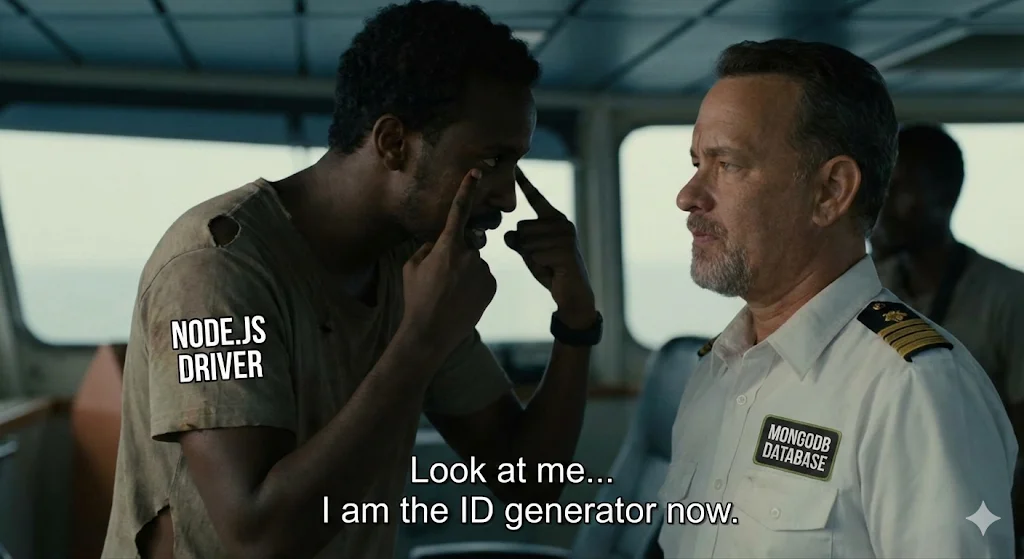
Look at me… I am the ID generator now. — The MongoDB driver taking over ID generation from the database.
The Concert Ticket Analogy
- Common SQL (Auto-Increment): Imagine a concert. You typically get a ticket number from the booth. The clerk prints #101 and hands it to you. This works fine for most venues, but at massive scale with many ticket windows, coordination becomes more complex.
- MongoDB (ObjectId): Now imagine you get a special printer at home. You print your own unique ticket before you even leave. You just walk in. No waiting, no coordination needed.
How does MongoDB make sure your ticket is unique?
The secret is the ObjectId. It’s a 12-byte value, and it’s built to be unique (practically speaking) without ever asking the database:
- Timestamp: 4 bytes. It’s the current second, so IDs are roughly in order.
- Random Value: 5 bytes. Each process gets its own random chunk, so your laptop and your friend’s server won’t clash.
- Counter: 3 bytes. If you print a bunch of tickets in the same second, this keeps them all separate.
You can literally generate an ID on your laptop without the database:
const { ObjectId } = require('mongodb');
// OR: const mongoose = require('mongoose');

// No database connection needed. Generate an ID anyway.
const myId = new ObjectId();
console.log(myId.toHexString()); // "6593a1b2c3d4e5f6a7b8c9d0"

// Generate 100 of them, they're all different
const id1 = new ObjectId();
const id2 = new ObjectId();
console.log(id1.equals(id2)); // false - never the same

// Even if you're on server A and your friend's on server B,
// collision risk is negligibly small in practice.
// That's the whole point.
The Black Friday Scenario
Picture this: It’s Black Friday. 50 Node.js servers, all hitting your app at the same time.
- Common SQL approach: Every single server hits the database saying “give me the next ID.” With high concurrency, this can create coordination overhead.
- MongoDB approach: All 50 servers just generate their own IDs. Right now. No asking. No waiting. Each server’s random 5-byte value makes collision risk negligibly small in practice.
- Result: Add 500 more servers? Doesn’t matter. Each one generates IDs independently. Your database barely notices anything changed.
Fire and Forget: Why It Feels Fast (and Why It’s Risky)
“Fire and Forget” is the developer’s version of tossing a paper airplane and walking away. You start something, then move on—no waiting around to see if it lands. It feels great for speed, but it’s risky if you don’t have safety nets.
Why It’s Tempting with MongoDB
Because you already have the ID (thanks to the driver), you can tell the user “you’re good to go!” instantly—even before the database finishes saving. But here’s the catch: if something goes wrong, you might have told the user their data is safe when it’s actually lost in the wind.
Pro tip: Don’t fire-and-forget your database writes. Always wait for those to finish. But for slow side effects (like sending emails or analytics), you can safely toss those in the background—just make sure you have a way to retry if they fail.
When speed matters (with real safeguards)
// models/User.js
const mongoose = require('mongoose');

const userSchema = new mongoose.Schema({
  email: { type: String, required: true, unique: true },
  password: { type: String, required: true },
  name: String,
  createdAt: { type: Date, default: Date.now }
});

const User = mongoose.model('User', userSchema);
module.exports = User;

// services/emailService.js
const sendWelcomeEmail = async (email, name) => {
  // Pretend this takes forever—like 1.5 seconds. Real life: emails are slow!
  return new Promise((resolve) => {
    setTimeout(() => {
      console.log(` Email sent to ${email}`);
      resolve();
    }, 1500);
  });
};

// routes/auth.js
const User = require('../models/User');
const { sendWelcomeEmail } = require('../services/emailService');
const bcrypt = require('bcryptjs');

const registerUser = async (req, res) => {
  try {
    // 1. Hash password for security
    const hashedPassword = await bcrypt.hash(req.body.password, 12);

    // 2. Save the user. This HAS to work. We need to wait.
    const user = await User.create({
      email: req.body.email.toLowerCase().trim(),
      password: hashedPassword,
      name: req.body.name
    });

    // 2. Send email. But don’t make the user wait for it. They just want to sign up and go!
    // In production, you’d use a queue (Bull, Agenda) so emails don’t get lost if something fails.
    sendWelcomeEmail(user.email, user.name).catch(err => {
      console.error(`Email failed for ${user.email}:`, err.message);
      // In production: log to monitoring (Sentry) and queue for retry
    });

    // 3. Send response. User gets this in like 50ms.
    res.status(201).json({
      success: true,
      message: "All set! Check your email.",
      user: {
        id: user._id,
        email: user.email,
        name: user.name
      }
    });
  } catch (error) {
    res.status(400).json({ error: error.message });
  }
};

module.exports = { registerUser };
Used to make the app feel instant
// models/Comment.js
const mongoose = require('mongoose');

const commentSchema = new mongoose.Schema({
  content: { type: String, required: true },
  user: { type: mongoose.Schema.Types.ObjectId, ref: 'User', required: true },
  post: { type: mongoose.Schema.Types.ObjectId, ref: 'Post', required: true },
  isPublished: { type: Boolean, default: false },
  createdAt: { type: Date, default: Date.now }
});

const Comment = mongoose.model('Comment', commentSchema);
module.exports = Comment;

// routes/comments.js
const Comment = require('../models/Comment');

const createComment = async (req, res) => {
  try {
    // 1. Create the comment in memory. Mongoose generates the ID right here.
    // Database? Not involved yet.
    const newComment = new Comment({
      content: req.body.content,
      user: req.user._id,
      post: req.body.postId,
      isPublished: true
    });

    // 2. For demo: Save but don't wait (FRAGILE - see better pattern below)
    // WARNING: This is a fragile pattern without proper infrastructure.
    newComment.save()
      .then(() => {
        console.log(`✓ Comment ${newComment._id} saved`);
      })
      .catch(err => {
        // MAJOR PROBLEM: We told the user it worked, but the DB said no.
        console.error(`✗ Comment ${newComment._id} failed:`, err.message);
        // PRODUCTION SOLUTION: Use queues + WebSocket notifications for failures
      });

    // 3. Better pattern: Return 202 Accepted with pending status
    res.status(202).json({
      success: true,
      status: "pending",
      message: "Comment submitted!",
      comment: {
        id: newComment._id,
        content: newComment.content,
        user: newComment.user,
        createdAt: newComment.createdAt
      }
    });
  } catch (error) {
    // Only errors in Comment creation logic hit here, not DB errors
    res.status(400).json({ error: error.message });
  }
};

module.exports = { createComment };
The Risk: Ghost IDs (Catastrophic Without Safeguards) Here’s the nightmare: you tell the user “comment posted!” but the database quietly fails. Now they’ve got an ID for a comment that doesn’t exist. They try to delete or edit it, and—poof—nothing happens. Trust broken, confusion everywhere.
- How to fix it: Use real message queues (Redis, RabbitMQ), monitor for failures, and let users know if something goes wrong (WebSocket, toast, whatever fits your app). Never rely on naive fire-and-forget in production—your users deserve better.
Practical Example: The Like Button
This is the perfect real-world example. Users expect likes to be instant. But if one fails to save? Nobody’s money is lost. Nobody’s account is broken. It’s fine.
The Scenario
You’re building something like Instagram. User clicks the heart button.
The problem: If you wait for the database, there’s a 1-2 second loading spinner. For a “like.” That feels broken.
The solution: Generate the ID, tell the frontend “done!” instantly, then save to the database. User never sees a spinner.
Why the frontend needs the ID immediately
If the user clicks “like” and then immediately clicks “unlike,” the frontend needs that like’s ID to delete it. Can’t do that without the ID. So you have to give it instantly.
The Code: Instant Like
// models/Like.js
const mongoose = require('mongoose');

const likeSchema = new mongoose.Schema({
  user: { type: mongoose.Schema.Types.ObjectId, ref: 'User', required: true },
  post: { type: mongoose.Schema.Types.ObjectId, ref: 'Post', required: true },
  timestamp: { type: Date, default: Date.now },
  createdAt: { type: Date, default: Date.now, index: true }
});

// Ensure one user can only like a post once
likeSchema.index({ user: 1, post: 1 }, { unique: true });

const Like = mongoose.model('Like', likeSchema);
module.exports = Like;

// routes/likes.js
const Like = require('../models/Like');

const toggleLike = async (req, res) => {
  try {
    const { postId } = req.body;
    const userId = req.user._id;

    // Check if this user already liked this post
    const existingLike = await Like.findOne({ user: userId, post: postId });

    if (existingLike) {
      // They liked it before. Delete it. Don't wait.
      existingLike.deleteOne().catch(err => {
        console.error(`Failed to delete like ${existingLike._id}:`, err.message);
      });

      // Tell them immediately
      return res.status(200).json({
        success: true,
        action: "unliked",
        message: "Unliked!"
      });
    }

    // New like. Create it in memory.
    const newLike = new Like({
      user: userId,
      post: postId
    });

    // Save it, but don't wait.
    // WARNING: This creates reliability issues in production
    newLike.save().catch(err => {
      // Might fail if there's a race condition (two requests at once)
      if (err.code === 11000) {
        console.warn(`Race condition on like ${newLike._id}`);
      } else {
        console.error(`Like ${newLike._id} failed:`, err.message);
        // PRODUCTION: Queue this for retry + notify user via WebSocket
      }
    });

    // Send the ID. User gets this in < 10ms.
    res.status(201).json({
      success: true,
      action: "liked",
      message: "Liked!",
      like: {
        id: newLike._id,
        timestamp: newLike.timestamp
      }
    });
  } catch (error) {
    res.status(400).json({ error: error.message });
  }
};

// Real-world tip: If you want to avoid weird race conditions, use atomic operations (like upsert) or split your like/unlike into separate POST and DELETE endpoints. It’s how the big apps do it.

module.exports = { toggleLike };
Why this is Safe enough
-
Scenario A (Success): User clicks like. Heart turns red instantly. Database saves it 500ms later. User never knows there was a delay.
-
Scenario B (Network Error): User clicks like. Heart turns red instantly. Database fails to save (network hiccup).
- Result: Red heart stays on screen. User refreshes and it’s gone.
- Consequence: User’s confused for 5 seconds, but nothing’s broken. A retry popup would fix this easily.
-
Scenario C (Race Condition): User clicks like twice super fast (both requests at the same millisecond).
- MongoDB unique index: One save succeeds, one gets rejected.
- Frontend: Both show success, but only one actually saved.
- Solution: Not a big deal for likes. If it mattered, add optimistic locking or server-side deduplication.
Interview Insights: ObjectId & Distributed Systems
Q: So what’s the deal with ObjectId in MongoDB?
It’s the default primary key, and it’s what lets MongoDB skip the whole “who gets the next number?” drama you see in SQL. No central counter, no bottleneck—just unique IDs, everywhere, all the time.
// ObjectId structure (12 bytes)
ObjectId("507f1f77bcf86cd799439011")
//         ^^^^^^^^ ^^^^^^^^^^^^^^^^^^ ^^^^^^
//         Timestamp    Random Value     Counter
//         (4 bytes)    (5 bytes)       (3 bytes)

// Practical generation
const { ObjectId } = require('mongodb');

// Generate on server (NOT in database)
const userId = new ObjectId();
console.log(userId.toString()); // "507f1f77bcf86cd799439011"

// Extract timestamp from ObjectId
const createdTime = userId.getTimestamp(); // Date object

// Check ObjectId validity
ObjectId.isValid(userId); // true
Why ObjectId > Auto-Increment:
- Distributed: You can scale out to 100 servers and never worry about ID collisions.
- Ordered: The timestamp means you can sort by creation time, no extra work.
- Unique (practically): The odds of a collision are so tiny, you’ll probably never see one.
- Efficient: It’s just 12 bytes—small, fast, and easy to index.
Q: How does MongoDB handle scaling?
SQL likes to go big—bigger servers, more horsepower. MongoDB? It’s all about spreading out. You add more servers, and ObjectId makes sure everyone can generate unique IDs without stepping on each other’s toes.
// Server A generates IDs
const userA = new ObjectId(); // Random 5-byte value unique to this process

// Server B generates IDs simultaneously
const userB = new ObjectId(); // Different random 5-byte value

// Collision risk is negligibly small in practice.
// No "ID authority" server needed.